Introduction
Login Activity is a security feature that allows you to view all active logged-in sessions and log out of them when needed.
It provides detailed visibility into your account usage through key information such as Last Login Time, Last Accessed Time, IP Address, and Operating System. By reviewing these details, you can easily identify unusual or unauthorized activity and take immediate action to protect your account.
Regularly reviewing your login activity helps you maintain better control over account security and ensure compliance with organizational access policies.
Note: The Login Activity feature is currently not available for users authenticated via Single Sign-On (SSO).
Follow these steps to access the LOGIN ACTIVITY screen:
- Hover the mouse over your avatar in the top-right corner of the screen and click My profile.
- From MY PROFILE screen, click LOGIN ACTIVITY.
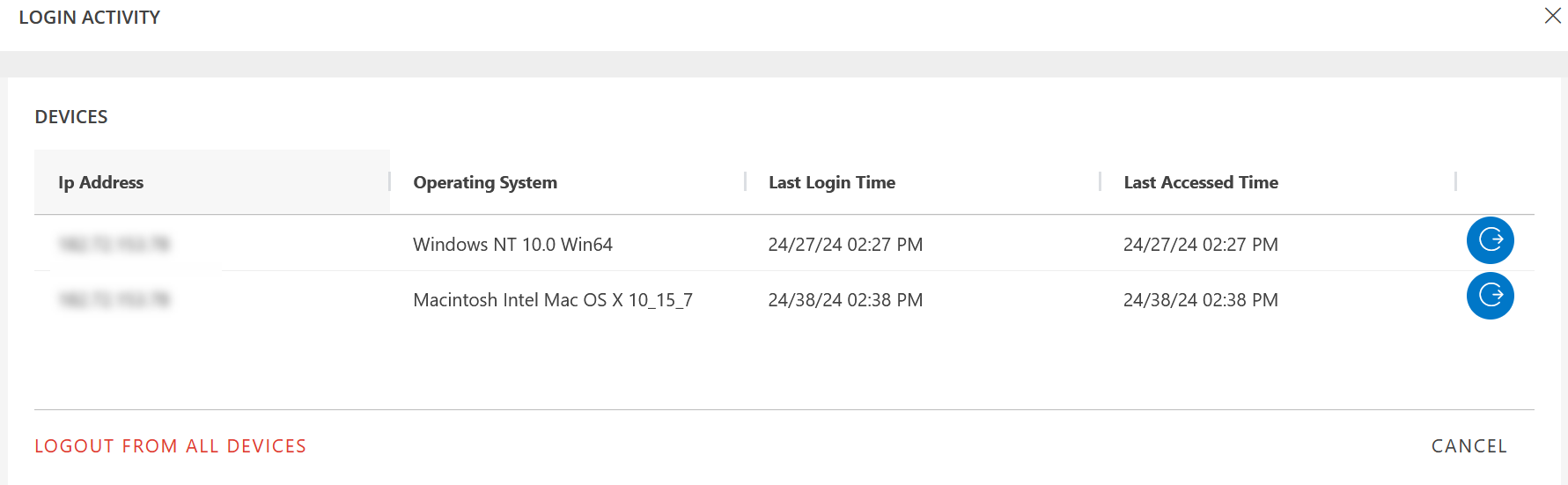
Information related to all the devices you are logged in is displayed on the screen. You may have logged in with different browsers on multiple devices, with the same credentials.
- The device that you are currently logged in is displayed on top.
- The rest of the devices are sorted by the Last Login Time.
Logout
You can choose to log out from any of the devices.
To log out from a device:
- Click Logout icon.
- From the confirmation dialog box, click LOGOUT. The device is logged out.
Logout from all Devices
You can choose to log out from all devices.
To log out from all devices:
- Click LOGOUT FROM ALL DEVICES.
- From the confirmation dialog box, click LOGOUT. You are logged out of all devices.
The following table has Login Activity column information:
| Column | Description |
|---|---|
| Ip Address | Public IP Address of the device. |
| Operating System | Operating system of the device. |
| Last Login Time | Last login date and time. |
| Last Accessed Time | Last accessed date and time. |